
OCR Image Recognition
OCR image recognition brings images, scans, invoices, certificates, screenshots and image-based documents into enterprise search and knowledge workflows. In BabelBird, OCR appears in search, Zhichao AI, image preview and private deployment modules. It can be used both to “search text inside images” and to copy, organize or export recognition results as Word documents.
OCR Search
BabelBird supports search based on OCR results. Search hits can include text from images, scanned documents and images embedded in certain document files. When a user enters a keyword, file names, tags, descriptions, full-text indexes and OCR results can be matched together.
| Search object | Capability | Deployment note |
|---|---|---|
| Image files | Search text inside images, screenshots, posters, certificates, photos and scans | Availability depends on the deployed version |
| Image-based PDF documents | Search text in scanned PDF documents | Currently mainly available as an optional private-cloud capability |
| Images inside Office files | Search text in images embedded in Word, Excel and PowerPoint files | Currently mainly available as an optional private-cloud capability |
| Multilingual content | Supports multilingual and mixed-language recognition | Accuracy depends on image quality, language model and deployment configuration |
OCR search still follows BabelBird permissions. Users can only search and open files they are authorized to access. OCR does not bypass department, project, sharing, file access control or encrypted folder boundaries.
OCR In Zhichao AI
Zhichao AI can perform OCR on images and extract text content. For invoices, passports, certificates and other structured files, the system can produce results that preserve layout or field structure, making the output easier to copy, edit, answer questions from and archive.
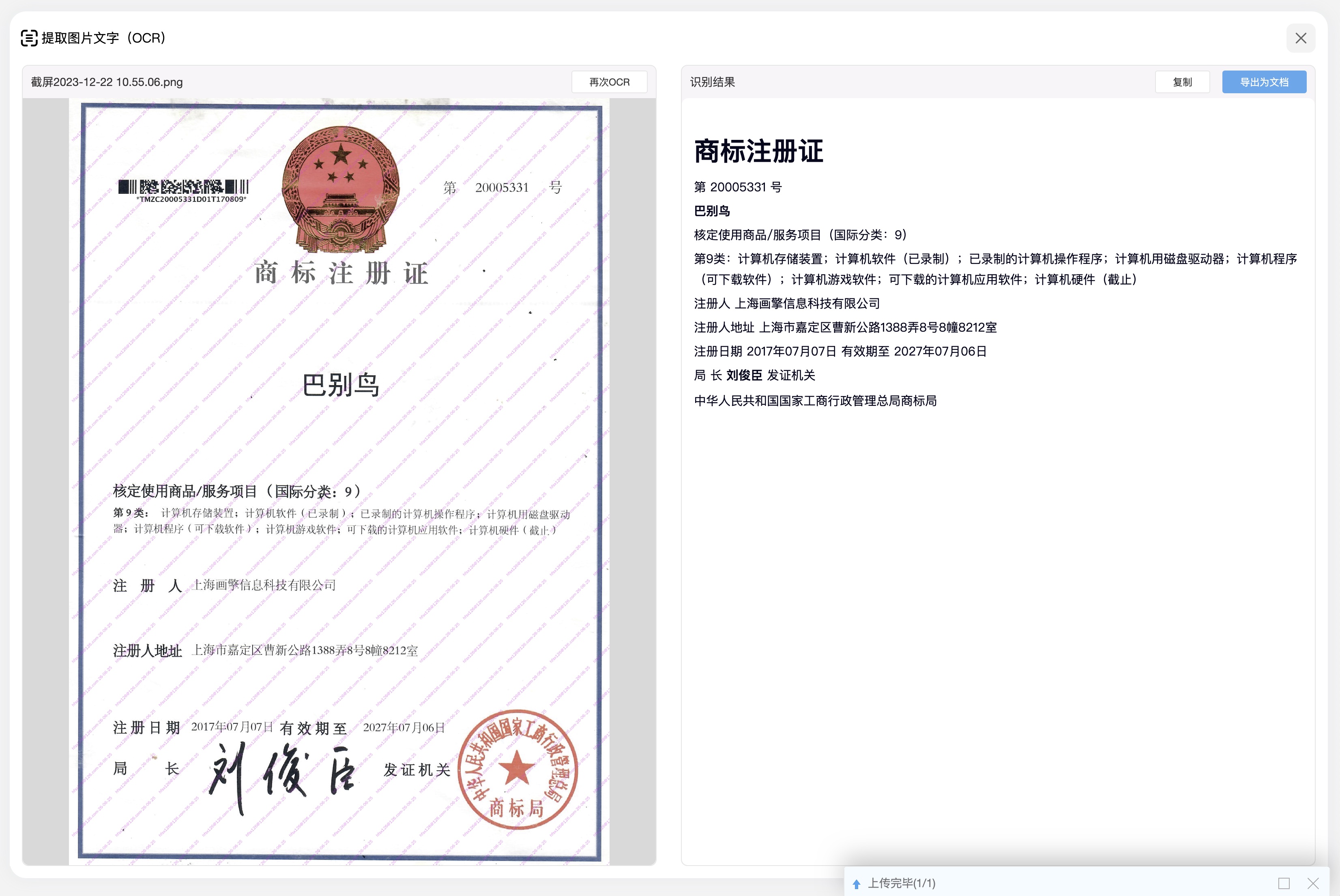
Common usage includes:
- Run OCR after uploading or selecting an image.
- Produce structured or layout-aware output for invoices, passports, certificates and receipts.
- Export OCR results as Word documents for editing, approval or archiving.
- Continue with AI assistant, document assistant or knowledge-base workflows for Q&A, summaries or explanations.
OCR In Image Preview
In the image previewer, users can run OCR directly on the current image. The recognition result appears in a side panel and can be copied or exported as a Word document. This is useful when browsing images, scans, handwriting or external materials.
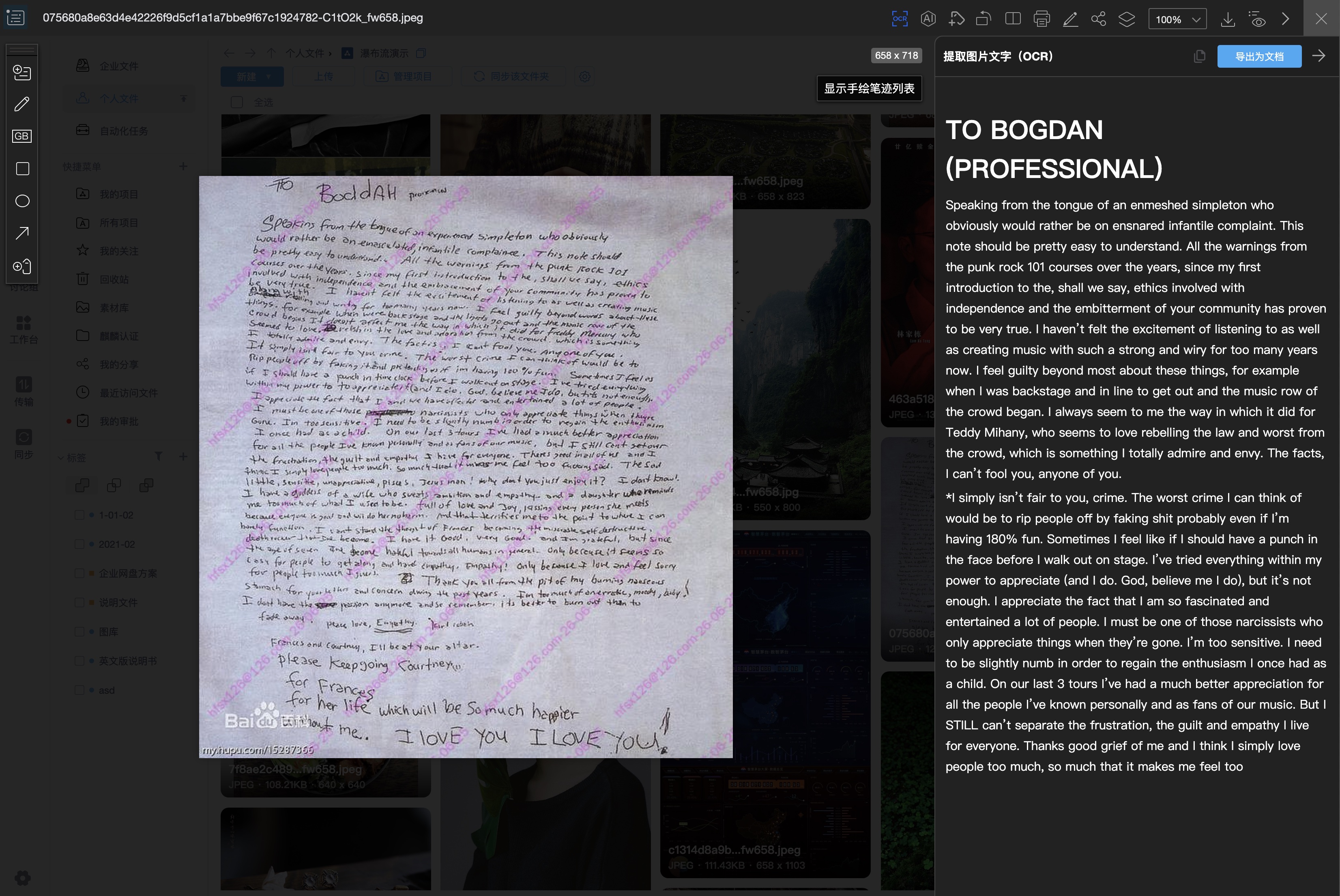
Typical scenarios include:
- Extracting text from screenshots, posters, contract scans and scanned materials.
- Recognizing Chinese-English mixed content and other multilingual combinations.
- Recognizing handwriting to assist with meeting notes, approval comments or paper documents.
- Exporting recognition results to Word for editing, approval or knowledge-base processing.
Private Deployment Options
In private deployments, OCR can follow different technical routes depending on security, performance and budget requirements:
| Option | Description | Best fit |
|---|---|---|
| Traditional OCR | Mostly CPU-based processing for general image text recognition and batch indexing | Environments with limited GPU resources and general OCR needs |
| AI OCR | Uses Zhichao AI and model capabilities for complex layouts, certificates, receipts, multilingual content and handwriting | Environments that purchase or deploy Zhichao AI and require higher quality or structured output |
During implementation, enterprises should confirm whether OCR is enabled, indexing scope, supported formats, processing concurrency, model deployment and CPU/GPU resources. For confidential or regulated data, define OCR data flow, caching, log retention and permission inheritance clearly.
Usage Guidance
- For image-heavy or scan-heavy organizations, use OCR together with advanced search, tags, material libraries, waterfall view and AI image search.
- For contracts, certificates, personal data and sensitive files, combine OCR with permissions, watermarks, sensitive content recognition and audit logs.
- For scanned PDFs that must remain searchable long term, evaluate batch OCR indexing and background processing resources in private deployment.
- For invoices, passports and certificates, start with Zhichao AI OCR and then export to Word or feed the result into a knowledge base as needed.