
Material Library
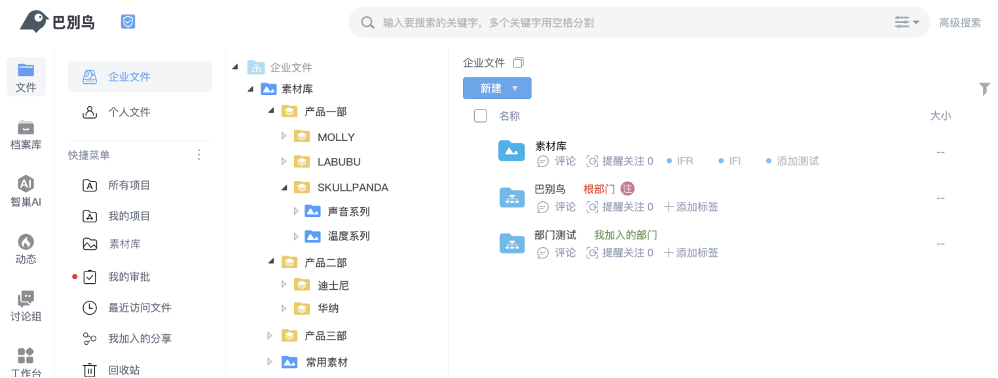
The material library is BabelBird's centralized workspace for images, brand assets, design files, drawings, marketing materials, product assets and reusable digital content. It keeps the upload, preview, tags, search, sharing, versions, logs and permissions of normal enterprise folders, while adding material categories, sub-libraries, category visibility, download approval, waterfall browsing, image metadata filtering and AI image search.
Use Cases
| Scenario | Typical content | Management goal |
|---|---|---|
| Brand library | Logos, visual identity, fonts, standard graphics, campaign images | Ensure everyone uses the same latest brand assets |
| Design library | Images, PSD, AI, CAD, 3D files, renders | Preserve reusable assets by project, category, customer or product line |
| Marketing library | Posters, videos, product images, brochures | Search, preview, download and share materials with sales or channels |
| Engineering drawing library | Drawings, scans, process images, deliverables | Control circulation with permissions, versions, archiving and audit |
| Product asset library | Product images, packaging images, specification images, metadata | Support e-commerce, channels, customer service and production teams |
| AI image knowledge base | Images, images in PDFs, tagged materials | Work with AI image search, image-to-image search, OCR and auto tags |
Categories And Sub-Libraries
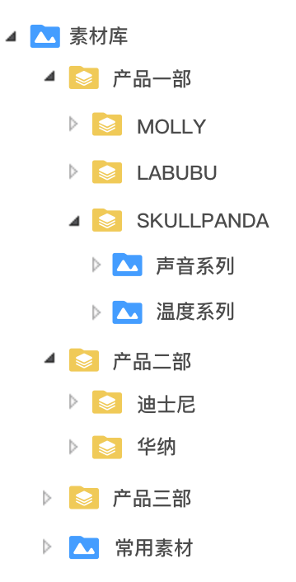
Material libraries are usually organized first by business category and then by sub-library. Categories describe broad management domains such as brand assets, product images, marketing materials and engineering drawings. Sub-libraries represent operating units such as a brand, product line, annual project, customer, region or department.
Visibility And Access Control
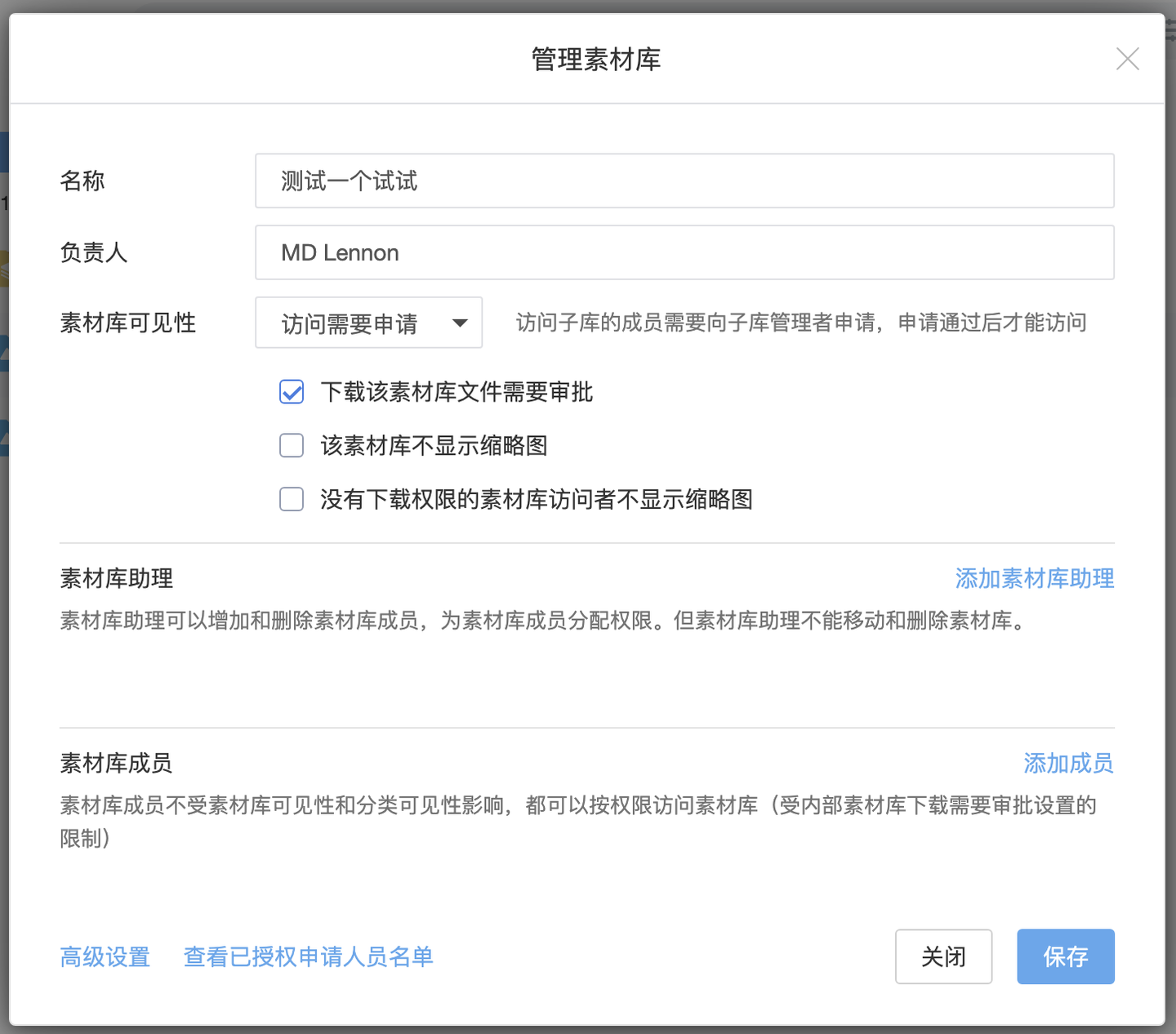
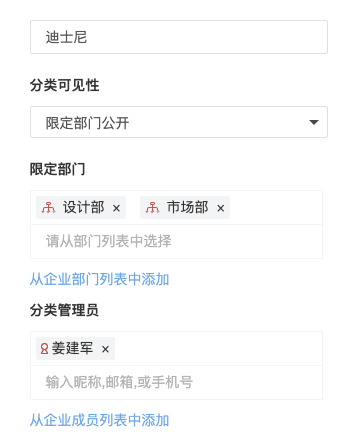
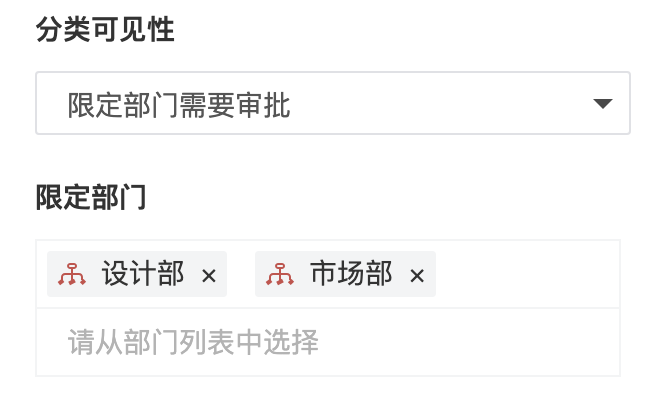
A material library is not a public gallery. Administrators can control who can see, download and manage assets by category, sub-library, department, member and role. For organizations that authorize by product line, region or brand, category visibility can limit each team to the material areas relevant to them.
Common controls include:
- Library entry permission: whether a user can access the material library module.
- Category visibility: whether a department or member can see a category.
- Sub-library management: who can maintain a sub-library, upload assets, organize folders and edit descriptions.
- File-level permissions: file access control, time-limited permission, sharing permission and download permission.
- Security policy: watermarks, download restrictions, access logs and audit for high-value design files, drawings, customer images and unreleased product images.
Download Approval And Asset Protection
Images, videos, design files and drawings in a material library often carry copyright, commercial value or release timing requirements. BabelBird can put material downloads under approval. Users can browse and search assets, while downloading original files or high-value files requires authorization.
Typical practices include:
- Require approval for campaign images, customer materials and design source files.
- Allow sales, channels or external partners to preview materials while restricting originals.
- Use watermarks, sharing expiration and access logs to track external distribution.
- Separate expired, outdated or disabled materials with categories and tags.
Search, Metadata And Waterfall View
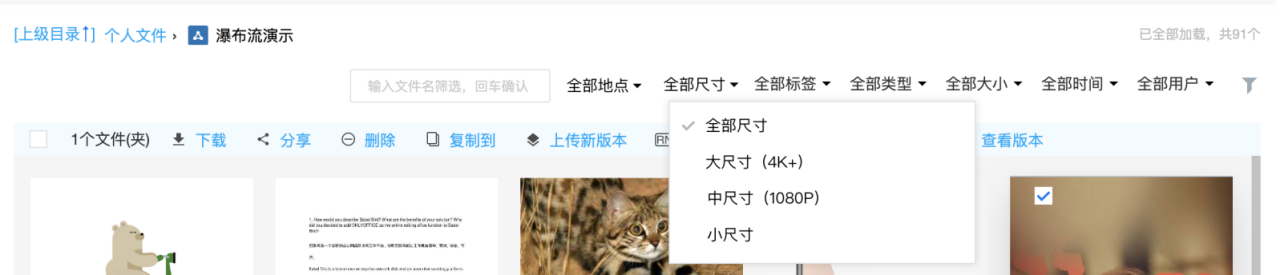
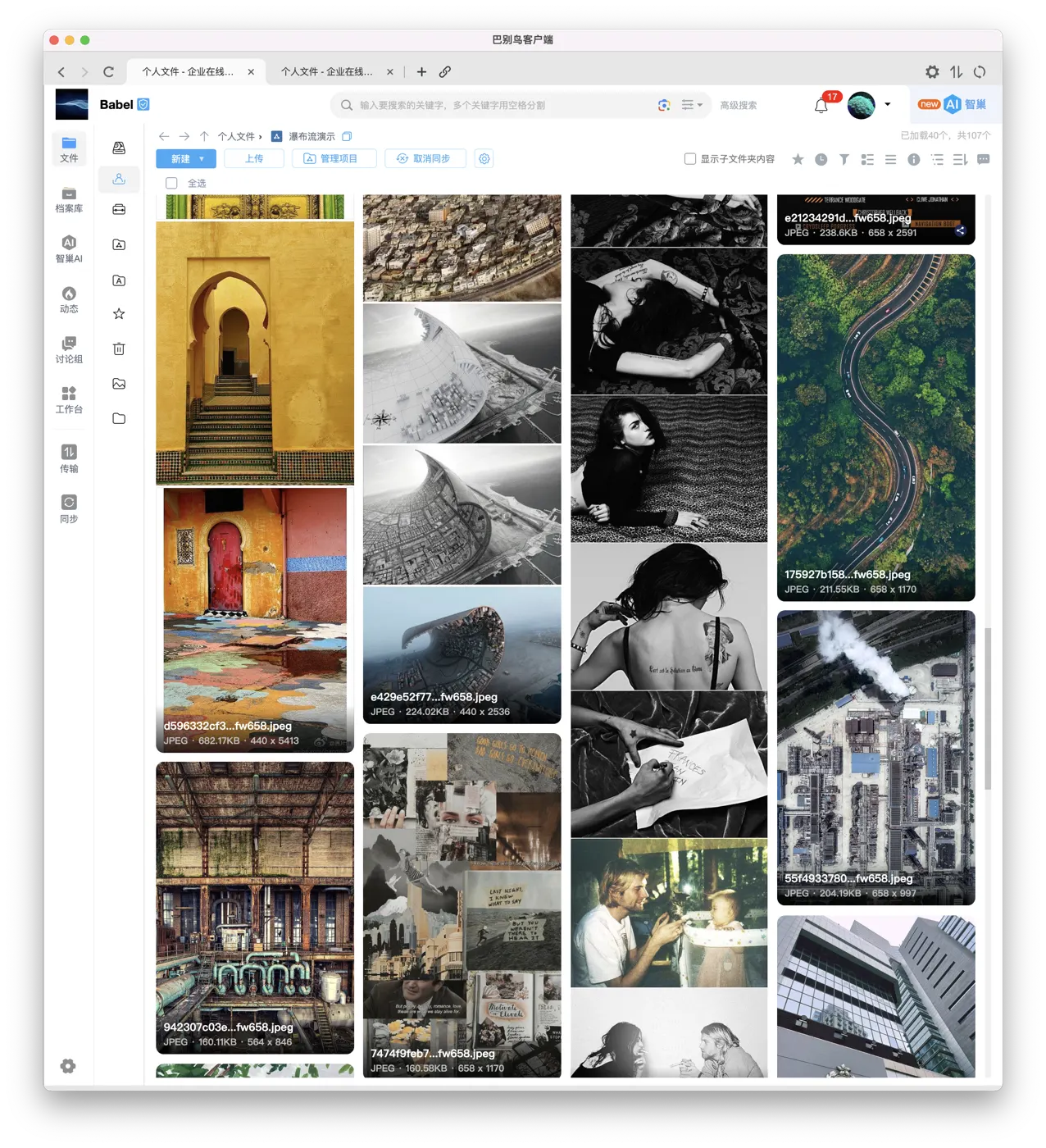
When image volume grows, folder hierarchy alone is not enough. Material libraries usually combine tags, descriptions, file names, image metadata, advanced search, OCR and AI image search. For photography, product images, catalog images and project site photos, metadata can filter by shooting time, image size, device, uploader or tags.
Relationship With Zhichao AI
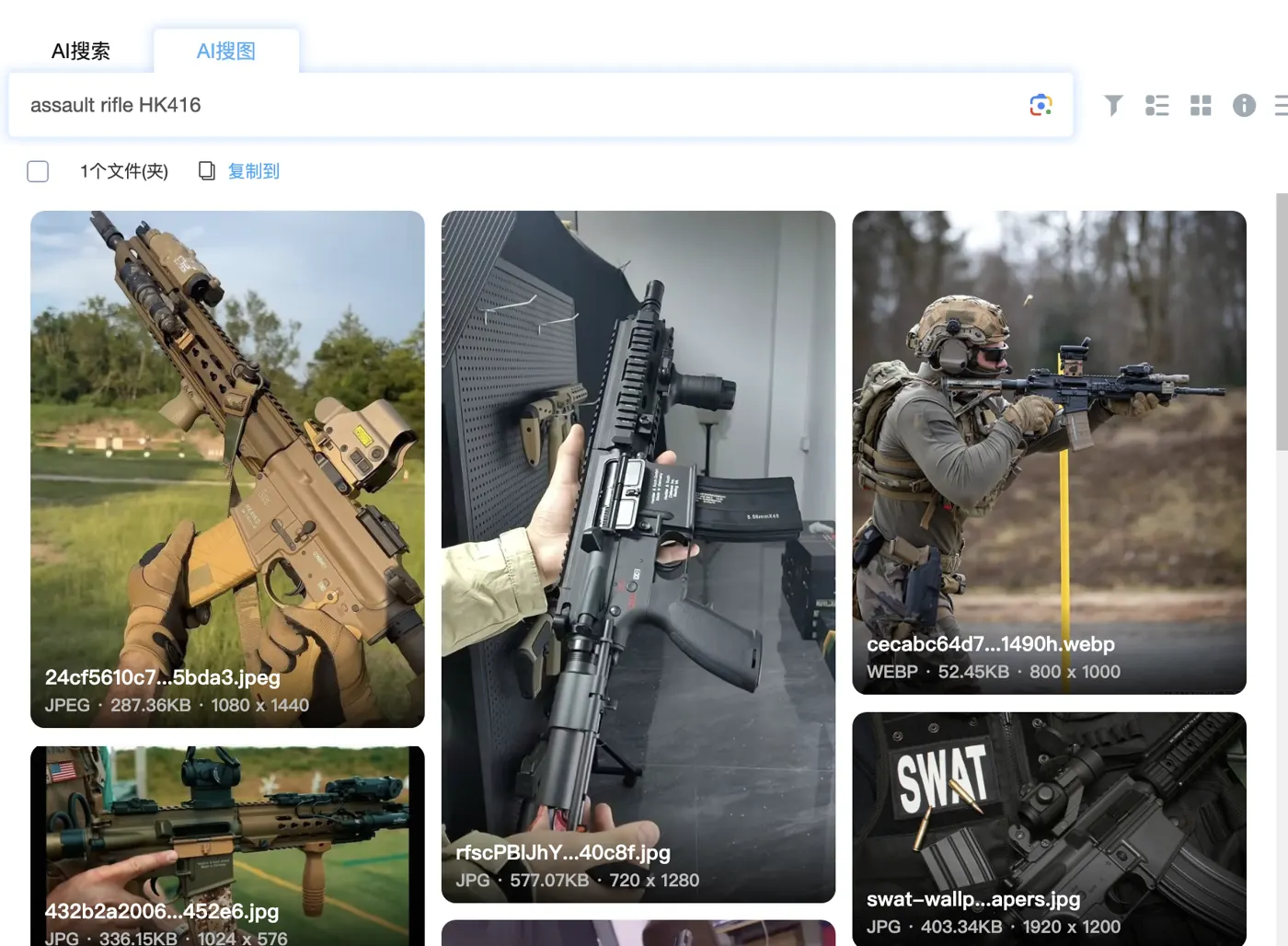
The material library gives AI a structured, permission-aware and auditable scope of files and images. Within the user's authorized range, Zhichao AI can provide text-to-image search, image-to-image search, image OCR, PDF image search and auto tags. This addresses image collections where names are inconsistent, folders are deep and visual content cannot be found by keywords alone.
Operating Recommendations
| Area | Recommendation |
|---|---|
| Category planning | Start with a small number of stable business categories, then use sub-libraries for product lines, projects or yearly materials |
| Naming and tags | Keep basic information in names, use tags for cross-folder business meaning and add descriptions to important images |
| Permission boundary | Use download approval or download restrictions for brand source files, design source files, customer materials and unreleased product images |
| Cleanup | Build a cleanup process for outdated materials, duplicates and temporary files |
| AI search | Enable OCR, AI image search and metadata filtering for large libraries with inconsistent names |
| API integration | Use the material library API with websites, PIM, DAM, e-commerce, business systems or automation workflows |