
Discussion Groups And Workbench
Department/Project Discussion Groups and Personalized Workbench.
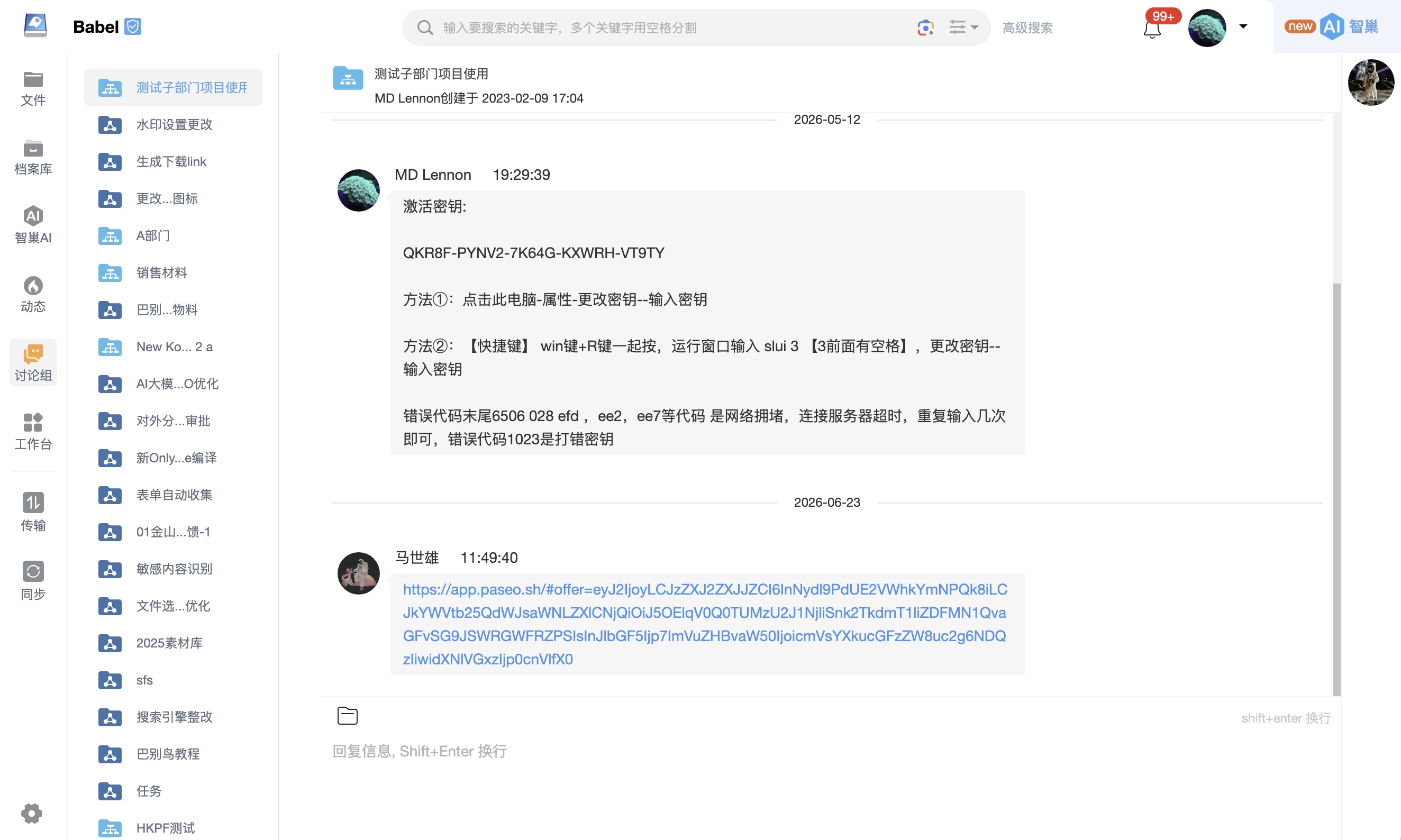
Detailed description
Overview
- Discussion group function: BabelBird Enterprise Drive creates discussion groups for each department and project, which serve as a group chat space for internal members of the department or project. Discussion groups allow members to post text and images, conduct discussions, and share attachments.
- Member interaction: The discussion group provides a convenient platform for members to communicate, collaborate and discuss project-related matters with each other, thereby enhancing teamwork and information sharing.
Main functions
- Information publishing: Discussion group members can publish text messages and pictures to achieve real-time discussion and communication.
- Attachment sharing: Members can easily share attachments such as documents, forms, and other files for sharing and discussion.
- Visibility: Information posted in the discussion group is visible to all members of the department or project to which it belongs, ensuring information sharing.
Application scenarios
Discussion groups are suitable for information exchange and discussion within departments and between project teams. They facilitate real-time collaboration and help solve problems, share insights, and track progress.
Summary
Discussion groups provide a convenient collaboration platform for department and project members to share information, discuss matters, and work together. These discussion groups help enhance internal communication and increase the efficiency and productivity of your team.
Workbench
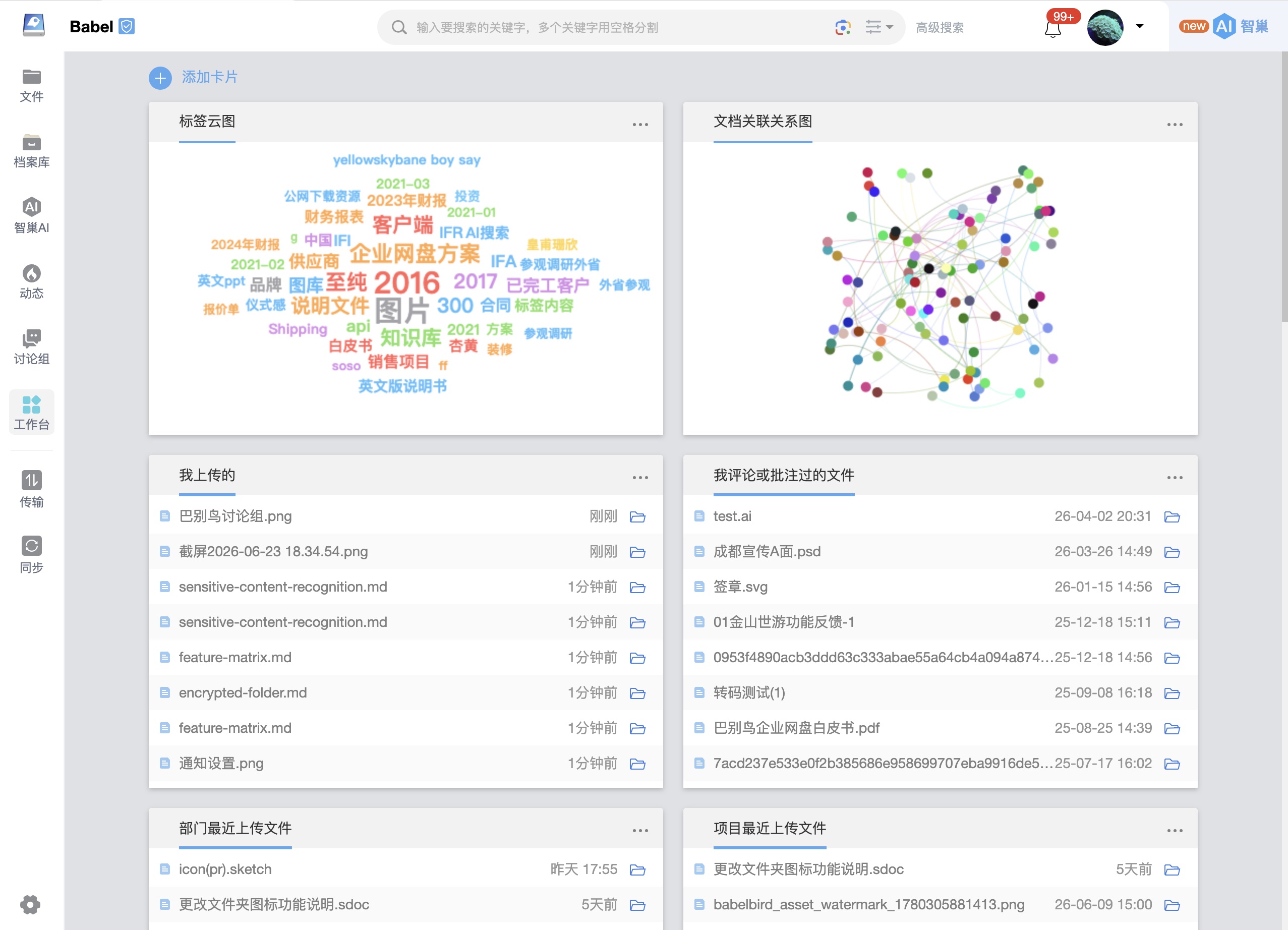
Overview
- Workbench function: The BabelBird workbench is a personalized interface where users can place frequently used folders, work content and information cards on one page. Each card presents actionable content, and users can freely adjust card order and layout.
- Personalization: The workbench provides multiple optional cards. Users can choose the cards that match their work habits, so one page can surface the information and functions most relevant to daily work.
Main functions
- Card display: Each card represents a different type of information or work content, such as recently accessed files, uploaded files, followed files, shared files, annotated files and tag clouds.
- Custom cards: Users can add specific projects, folders or other information to the workbench to meet their own workflow needs.
- Card sorting: Users can reorder cards by drag and drop, placing the most important or frequently used information first.
Application scenarios
The workbench is suitable when users need to centrally access work-related information and resources. Common files, folders and projects can be placed on the workbench to improve daily work efficiency.